> For the complete documentation index, see [llms.txt](https://docs.3q.video/llms.txt). Markdown versions of documentation pages are available by appending `.md` to page URLs; this page is available as [Markdown](https://docs.3q.video/user-guide-new-ui/account/usage-details.md).
# Usage details
The **Usage Details** section provides insights into the account’s platform usage. It allows administrators to monitor consumption, analyze trends, and review usage across projects and services.
***
### Overview
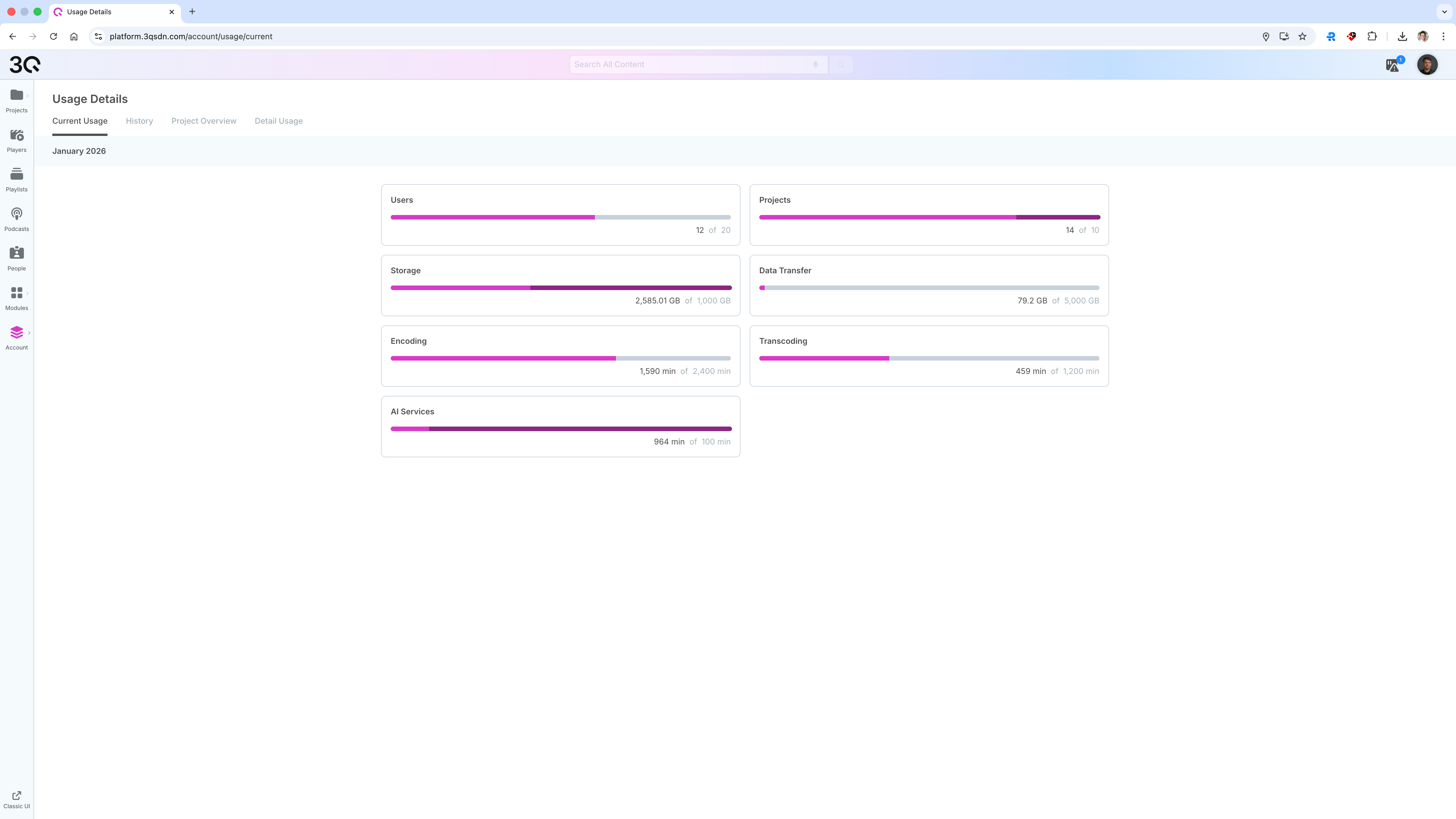
The Usage Details overview summarizes key usage metrics for the selected time period.
Displayed metrics may include:
* Number of projects
* Number of users
* Storage usage (AVG in the specified period)
* Bandwidth (Data transfer volume)
* Encoding and transcoding time
* AI service usage
The displayed values reflect total usage across the account.
***
### Filtering and Time Range
Usage data can be filtered to refine the displayed results.
You can:
* Select a custom **date range**
* Filter by **project**
* Filter by **usage category** (e.g. storage, data transfer)
This allows detailed analysis of usage patterns.
***
### Usage History and Trends
Usage data is visualized using charts to show changes over time.
This helps to:
* Identify usage peaks
* Track growth or seasonal trends
* Support capacity planning and cost optimization
***
### Project-Level Usage
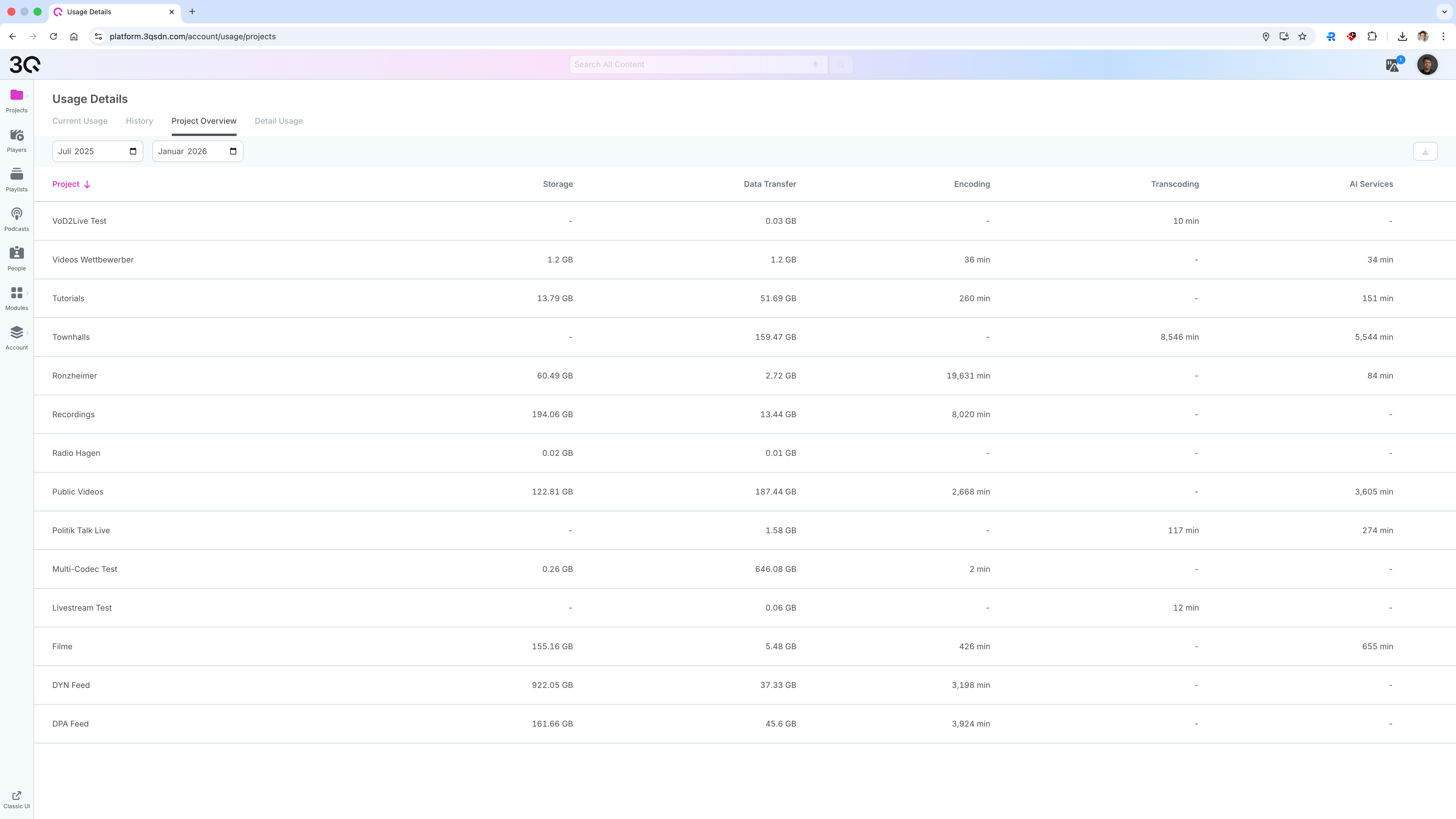
The Usage Details section also supports project-level analysis.
You can:
* Review usage per project
* Compare usage across different content pools
* Identify projects with high resource consumption
***
### Access and Availability
* Usage Details are available at the **account level**
* Only users with appropriate permissions can access usage data
* Availability and granularity of data may depend on enabled modules and services